

So, you’re heading to Disneyland and the thought of Lightning Lanes, Single Pass, Multi Pass, return times, and allllll that other jargon seems a little overwhelming or overly complicated, right?
Yeah, we get that.
But we are here to help you break it down so it’s much more manageable to digest. Because ultimately, if you want to ride more and wait less (and who doesn’t??), the Lightning Lane Multi Pass (LLMP) can be a powerful tool. Especially if you’re trying to maximize your day and hit the big headliners or thrill rides.
We recommend using Lightning Lanes (LLs) on most park days, especially if you’re trying to cover a lot or have limited time in the parks. That said, if your focus is more on the nostalgic side (think Fantasyland dark rides or attractions for young kids), you can often skip it. Many of those rides don’t even offer Lightning Lane access.
And if you have multiple days for Disneyland Park and want to save some money, you can do one day with LLMP and focus on those rides, and then do the attractions that don’t offer LLs the other day. That’s because the majority of attractions at DL actually don’t offer a Lightning Lane.
But if you plan to use Lightning Lanes (and most of our readers do, at least for part of their trip), our tips in this guide will help you maximize the system. We’ll walk you through everything from how to buy it to the smartest ways to book and stack your return windows—plus a few tricks and hacks that some locals and passholders don’t even know.
Note: More familiar with the LLMP system at Walt Disney World? Take note, because there are differences!
Let’s dive in!
1. How to Purchase the Lightning Lane Multi Pass at Disneyland
Purchasing LLMP in advance
At Disneyland, you can purchase the LLMP either in advance as an add-on when you purchase your park tickets, OR on the day of your visit(s) once you ENTER the park.
Just know that if you choose to add it to a park ticket in advance, you only have the option of adding it for the entire length of the ticket. You cannot pick and choose days. If you only want it on certain days, you’ll want to wait and purchase it on the day of (once you enter the park).
Note: There’s no technical advantage to purchasing LLMP in advance, so don’t worry if you choose to wait until the day of purchase. However, you are locking in a price if you add it to your ticket, and do know that the service can sell out on really busy days (think peak Spring Break weeks and Christmas to NY week).
Purchasing LLMP on the day of
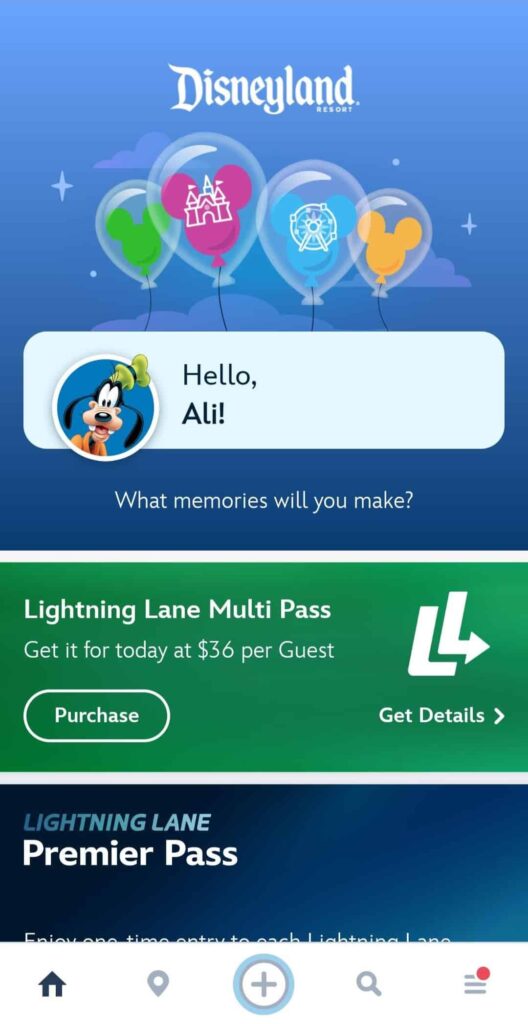
Purchasing Lightning Lane on the day of your visit is easy, and you can usually do it right from your Disneyland app’s home screen or from the menu.
You will select who in your party you want to buy it for (you can choose everyone or specific individuals), and then complete the payment.
Once it’s confirmed, you’re ready to start booking attractions!
FYI: There’s no booking attractions before you enter the park. At Disneyland, you must have entered the park to book your first attraction. So yes, that means if you are entering the park at 3 pm, you can’t book until then. We don’t love that part if we’re planning on arriving late, but it’s how they do things.
2. Book That First Lightning Lane Quickly!

Once you’re in the park (especially if you’re there AT park opening), you’ll want to book your first Lightning Lane for the closest return time ASAP. Early time slots for the best rides can go quickly, and you don’t want to book a Lightning Lane that’s too far out for you to use quickly; otherwise, you’ll get stuck having to wait 2 hours to book your next one.
If this sounds confusing, we’ll get into the details and tell you which rides are best to book first below.
3. Setting Up Your Tip Board (Top Picks) for the Lightning Lane Multi Pass
To save you from scrolling through dozens of attractions every time you want to book a Lightning Lane or missing out on an in-demand ride with LLs that go quickly, you’re going to want to pin your high-priority attractions to the top of your tip board.
This isn’t as important to do for your first few Lightning Lane selections, but you’ll want to be strategic about what you pin for the rest of the day.
The process is a little meticulous, but it’s relatively quick, and we promise you it’s worth the hassle.
- After purchasing the LLMP, head to book your first Lightning Lane in the Disneyland app and select the “My Day” tab.
- You’ll first need to go through the Get Started/Plan Your Day prompts through the Disney Genie service (the free recommendation service). You can also review ride restrictions and height requirements during this process.
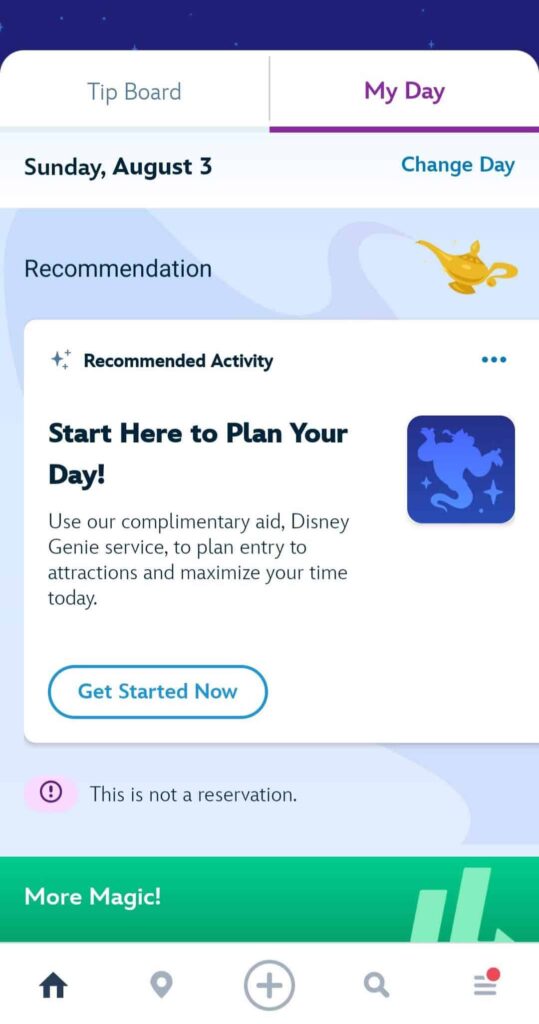
- This is where it gets more advanced: You’re going to select (and deselect) attractions through this setup throughout your day in the park.
Most importantly, you DON’T want to select ALL the attractions on the list you want to do.
You want to be strategic and check only 1-2 attractions at a time most of the day. This is because the attractions you checked will be pinned to the top of your Tip Board, where you’ll look for Lightning Lanes:
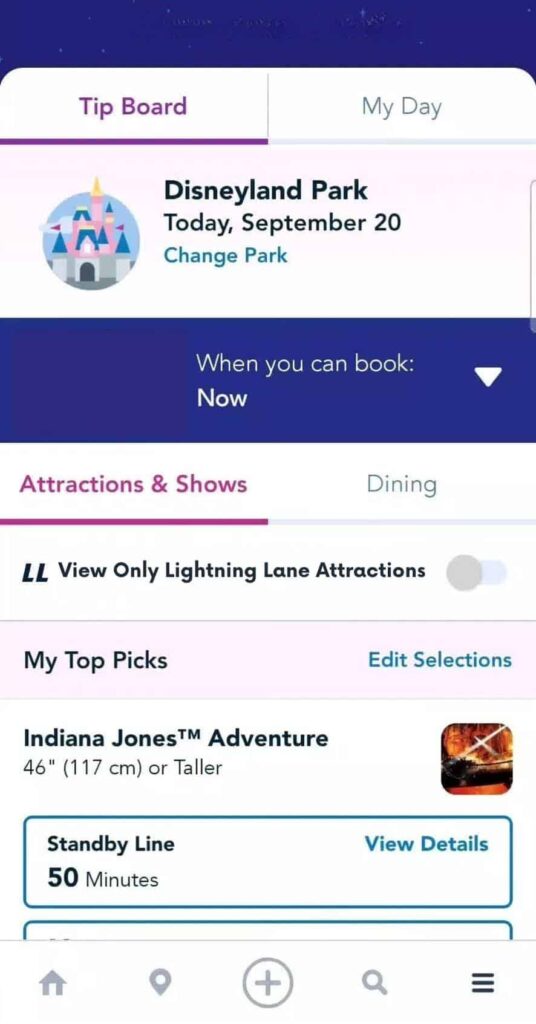
Those are the attractions that you’re looking to either get a Lightning Lane for next, get an earlier return time for, or, if Lightning Lane availability is already sold out for the day, keep tabs on when it’s available again for booking.
Once you’re done, your preferences will be saved, and your most-wanted rides will show up at the top of your Tip Board.
4. Booking Your First Lightning Lane
To book a Lightning Lane, go to your Tip Board and scroll through the list of attractions. Here you will see that:
- Lightning Lane return windows are always one-hour*
- The app defaults to always showing the earliest return window available.
- These times are dynamically changing; if you refresh the screen (by dragging the screen down or tabbing in and out), they will update accordingly. This is because Lightning Lane availability updates in real-time as people cancel and modify their selections, or Disney sometimes releases new slots. More on this when we get more advanced!
To book a Lightning Lane, it’s as easy as tapping the one you want to reserve, selecting members of your party, and confirming through the prompts. You’ll get a confirmation screen and see your return time at the end.
Your booked Lightning Lanes should appear in both the “My Day” tab and on the Tip Board.
*Lightning Lanes have a built-in “grace period” where you can scan into an attraction 5 minutes early and up to 15 minutes late. However, most people report being able to “unofficially” use LLs up to 2 hours late, if not more, up to the discretion of the Cast Member. Just remember to be polite and respectful with the CM (hopefully you’re doing this anyway lol) and let them know why you’re late.
While we wouldn’t bank on this, it’s good to know in case of unusual events or emergencies!
5. Understanding the Rules
The way LLMP works is that you are eligible to book another Lightning Lane once you scan into your existing one OR if two hours have gone by—whichever happens first.
Let’s play out some examples from least strategic to most strategic so you can get a better idea of this:
- You enter Disneyland at 12:05 pm. You want to ride Space Mountain, so you book it for a 4:30 pm time slot—over four hours away. Now you cannot book your next Lightning Lane until 2:05 pm. Whomp whomp.
- You enter Disneyland at 9 am. While some popular attractions like Indiana Jones are pushed out past 2 pm already, many other attractions have closer return times. You book Matterhorn for 10:20 am-11:20 am. You then head to Indiana Jones immediately and get in the standby line with a posted 30-minute wait, but only wait 18 minutes. Or you head to Fantasyland and hit a bunch of these rides with little to no waits.
- You enter Disneyland at 10 am. Indiana Jones is a priority ride, but the Lightning Lane return window is already out to 3 pm. You go through the Genie setup and pin only this attraction to the top of your Tip Board. After refreshing the screen a few times, you see a 10:45 am slot and grab it quickly. You now use the next 45 minutes to hit a few popular standby attractions with shorter waits, and then scan into Indiana Jones as soon as you’re eligible.
Midway Recap: What We’ve Covered So Far

This is a lot of information, so let’s do quick bullets of the important stuff!:
- Book your first Lightning Lane immediately after entering the park, especially if you’re rope-dropping. Popular rides get booked out fast!
- While you don’t have to do it first, you’ll eventually want to go through the Genie process to set up your Tip Board wisely. Remember, don’t check every ride you want to do. Only select 1–2 top-priority attractions at a time (the ones you’re targeting next); this keeps those rides pinned to the top of your screen for faster access and easier refreshing.
- Early/close return times are good, but if you’re arriving in the morning, you also want to maximize those standby lines with short waits. This could mean not scanning into your first Lightning Lane until the END of the return window, especially if it’s a return window before ~10:30 am/11 am when crowds and wait times start to really ramp up.
- LL return times are one hour long, plus the grace period. The official grace period for LLs means that you can scan in 5 minutes early, or up to 15 minutes late. Unofficially, anything beyond 15 minutes late is up to the Cast Member’s discretion, but it’s good to know it could still be an option if you’re running wildly late!
- Lightning Lane return times and availability change constantly, in real-time. Refresh your Tip Board to watch for better return windows—people cancel and modify all day long.
- You can book another Lightning Lane after 1) you scan into your current LL, or 2) 2 hours have passed since you booked your last one—whichever comes first.
- Outside of the most in-demand 1-2 headliners at each park, try not to get stuck booking rides that are hours away. Check our more advanced “refresh” strategies below.
- Start stacking smart: Book return times close together, use standby lines while waiting, and keep refreshing for those high-demand rides.
6. The Two-Hour Rule & Stacking Lightning Lanes
As the day goes on and crowds gather, you’ll find that Lightning Lane return times get pushed later and later into the afternoon and evening.
Eventually, you’ll inevitably run into the two-hour rule when you’re trying to book the major attractions (meaning the bigger attractions will be showing far-out return times). We recommend getting in as many Lightning Lanes on as many attractions before you “stall” here.
But if you’re planning to stay in the parks later at night, this can actually work out well for you.
Let’s say 12 pm rolls around and you’re planning to head back to your resort for a nap, or you have a sit-down lunch break. That’s when you’ll want to book one of those popular attractions that have a further away return time. You’re securing that Lightning Lane, and who cares about the two-hour rule while you have a break anyway?
We do! Let us explain with an example.
At 1 pm, you book your next Lightning Lane for Space Mountain at 6:00 PM. You set an alarm for 3:00 PM (two hours after your last booking). When the alarm goes off, you open the app and grab another Lightning Lane, this time for Big Thunder Mountain at 7:00 PM. Then you set another alarm for 5:00 PM. At 5:00 PM, you grab a third Lightning Lane for Indiana Jones Adventure at 8:00 PM.
By the time you return to the park in the evening, you’ve got three big rides already lined up, one after the other, with little to no wait.
That’s stacking.
It’s simple, powerful, and one of the best ways to maximize your time in the evening hours when you’ve already got a lot of other rides in.

7. Canceling a Lightning Lane
Don’t overthink this one, it’s easy!
If plans change, canceling is simple. You can also cancel a Lightning Lane only for certain people in your party if someone’s skipping a ride (and this is the considerate thing to do, so other guests can grab that LL slot!).
Tap your reserved Lightning Lane, select the guests you’d like to cancel it for, and confirm. It will disappear from your My Day tab. If your Tip Board glitches and your pinned attractions vanish, just pull down to refresh, and they should reappear (if you haven’t learned, you’ll quickly find out that the Disney app has its share of frustrating issues…).
8. Advanced: The Modify & Refresh Hack
One of the best tricks for securing a Lightning Lane is either the Refresh Method or the Modify & Refresh Method.
If you have the patience to stare at your phone for a few minutes here and there, this one will usually put you ahead of the curve and help maximize your Lightning Lane usage.
There are two scenarios where this works:
- When a Lightning Lane is showing sold out for the day
- Or your existing Lightning Lane time is super far out and you want it earlier.
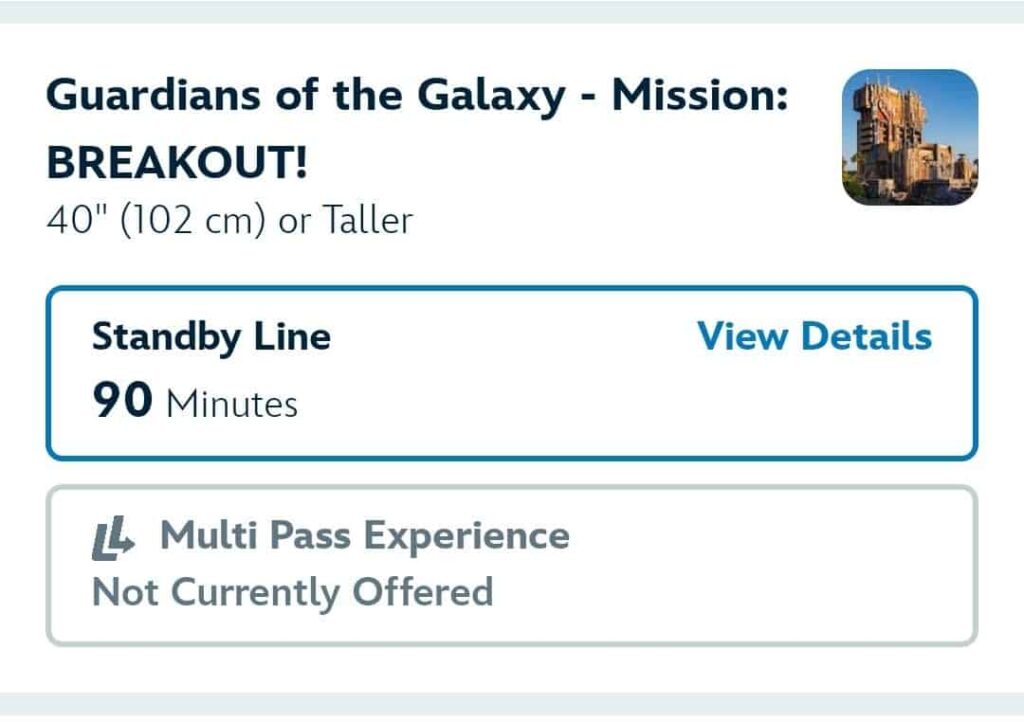
- Sold Out Lightning Lane (The Refresh Method): If a Lightning Lane is showing sold out for the day already and you don’t have a time secured in order to modify, go through the Genie setup and select your ride as the only attraction so it shows up at the very TOP of your Tip Board (like the screenshot earlier with the Indiana Jones Adventure showing at the top). This way, when you drag down and refresh, it’s the first ride to appear at the top of the screen, allowing you to click it as quickly as possible if/when a return slot shows up!
- LL with a Late Return Time (The Modify & Refresh Method): Let’s say you want a specific LL, but the return time is a few hours away (which would force you to get stuck in the wait-2-hours-before-you-can-book-your-next-LL rule). Even if the availability is super late, go ahead and just book that Lightning Lane. Pin that attraction to the top of your Tip Board, and then tap to modify the time. From there, start dragging down and refreshing. As SOON as you see a closer time, TAP IT.
Important Note: Remember how we said Lightning Lane times are dynamic? You might see a return time you want, but that time is not locked in until you click it and get to the next screen. And LLs can go fast, so clicking quickly is the key.
Yes, it’s frustrating if you don’t get it, but stick with it! We’re telling you, it’s ultra gratifying when you can snag the time you want OR snag a LL that says it’s gone for the day!
For example, it’s 3 pm and Space Mountain return times are all the way out to 10 pm (or sold out entirely). Keep refreshing, and then, boom—a 4 pm return window appears.
This is often how we’ll get a LL for a sold out Guardians next door at DCA if we spontaneously hop over there in the evening.
A little patience can go a long way with this hack!
9. Super Pro Expert Level Advanced: The Multi-Experience Lightning Lane Hack
This one is known and used only by the power users (and it’s definitely unofficial).
Occasionally, you’ll see a Lightning Lane show availability for a ride that’s currently not operating/having technical issues (e.g., Buzz Lightyear or Grizzly River Run). The availability could show as early as 5 minutes out or even 20-30 minutes out—but the ride hasn’t reopened.
If you book that Lightning Lane while the ride is still closed, it will often convert into what’s called a Multi-Experience Pass.
The Multi-Experience Pass can then be used on multiple other attractions in either park (you’ll be able to see which rides are eligible*), and it’s a great way to snag extra Lightning Lane access if you’re keeping an eye on downtime.
For example, we’ve been able to do this multiple times where something like Grizzly River Run is down but is still showing nearby Lightning Lane availability. We book the Lightning Lane and when it converts to a MEP (if the ride isn’t back up yet), we use it to ride IncrediCoaster (because one ride isn’t enough!).
*Eligible attractions for a Multi-Experience Pass differ and are reasonably based on the attraction you initially selected. For example, if you had an “it’s a small world” Lightning Lane that converts to a Multi-Experience Pass, it is not going to be eligible to use for Indiana Jones Adventure.
Note: Don’t obsessively stalk the app for this; it’s more of a nice-to-have in your back pocket thing. If you happen to catch a down ride with a near-time Lightning Lane, jump on it!
Here’s the attractions we see this hack work for most often:
Disneyland
Buzz Lightyear Astro Blasters
Haunted Mansion
“it’s a small world”
Disney California Adventure
Goofy’s Sky School
Grizzy River Run
Incredicoaster
10. Know the Popular Lightning Lanes To Help Prioritize and Strategize

Most guests don’t get a true feel for Lightning Lane demand until they’re actually in the parks using the app. But knowing which rides tend to “sell out” first can give you a major advantage, so we’ve broken that down for you here.
Here’s the order of demand for most Lightning Lane at the two parks (sourced from Thrill-Data—check their site out before your trip if you like this kind of data!):
Disneyland Lightning Lane Sell-Out Times
Haunted Mansion *Holiday* (when in season September – December)
Indiana Jones Adventure
Matterhorn
Tiana’s Bayou Adventure
Space Mountain
Mickey and Minnie’s Runaway Railway
Big Thunder Mountain
Roger Rabbit’s Car Toon Spin
Millennium Falcon: Smugglers Run
Haunted Mansion
Autopia
Star Tours
Buzz Lightyear Astro Blasters
“it’s a small world”
Disney California Adventure Lightning Lane Sell-Out Times
Guardians of the Galaxy – Mission: BREAKOUT!
Soarin’ Around the World
Toy Story Midway Mania!
Goofy’s Sky School
Incredicoaster
WEB SLINGERS: A Spider-Man Adventure
The Little Mermaid – Ariel’s Undersea Adventure
Monsters, Inc. Mike & Sulley to the Rescue!*
Grizzly River Run
*closing in early 2026
11. An Example (Epic) Day at Disneyland Maximizing the LLMP

This stuff is complicated and can be difficult to grasp, but examples help! Here’s an actual sample day we had at Disneyland using the LLMP:
9:30 am: Arrive, purchase LLMP, book Matterhorn for 10:15-11:15 am.
9:40 am: Ride Big Thunder Mountain standby (20-minute posted wait, actual 15-minute).
10 am – 11 am: Standby-only Fantasyland Rides (Snow White, Dumbo, Pinocchio) followed by a snack break.
11:25 am: Scan into Matterhorn Lightning Lane.
11:25 am: Book our next Lightning Lane (Tiana’s Bayou Adventure) for a later afternoon slot. Here’s where we refreshed the app while waiting in line for Matterhorn and were able to modify our Tiana’s Lightning Lane to a 12:30-1:30 pm time slot!
12:45 pm: Scan into Tiana’s Lightning Lane and book our next LL, which was Indiana Jones Adventure for an evening slot of 8:30 pm.
Lunch and other attractions and experiences until 2:45 pm.
2:45 pm: Now we’re eligible for another Lightning Lane since the 2-hour window has passed, so we book Haunted Mansion (could always modify it for a closer return time if needed).
3:30 pm: Scan into Haunted Mansion.
…and so on and so on.
12. Park Hopping with the LLMP
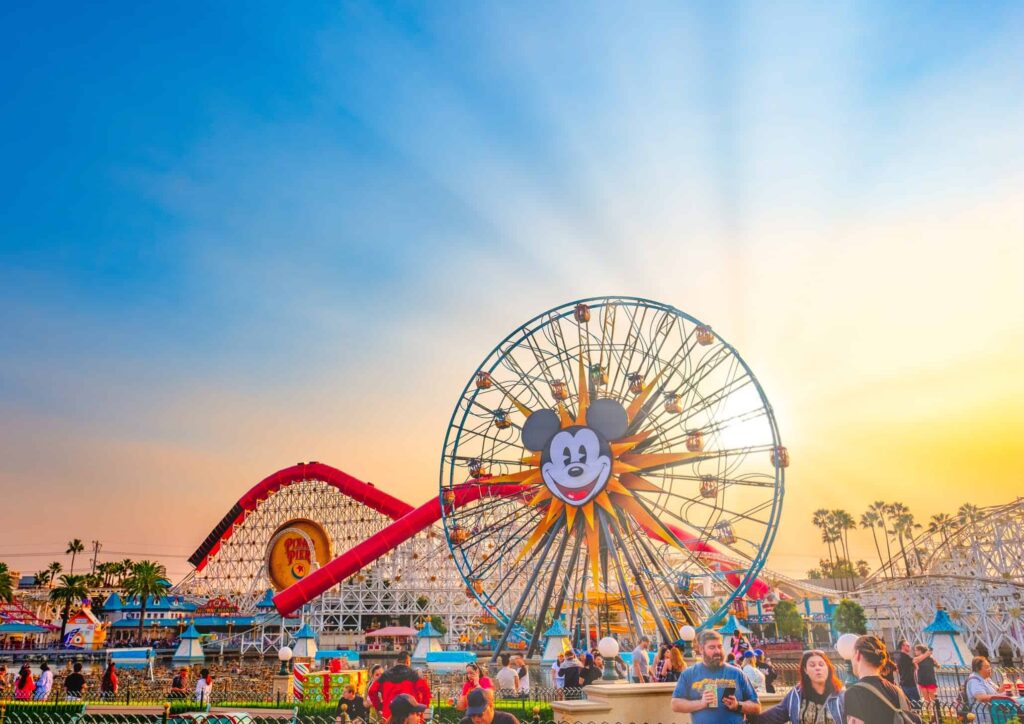
One of the best parts about visiting Disneyland is how easy it is to “hop” between the two parks, the OG and the newer park, California Adventure. If you have a park hopper and plan on hitting both parks in one day, don’t fear, Lightning Lanes are easy!
Currently, you can start park hopping at 11 am.
Once you are scanned into the first park, you can actually book LLs for the second park immediately if the return time is 11 am or later. It’s as simple as that!
If you plan to start at Disneyland and hop over to California Adventure, Guardians is the ride you may want to secure early since it can sell out by afternoon.
If you plan to start at California Adventure and hop to Disneyland, you’ll want to keep an eye on the thrill rides there (Indiana Jones Adventure, Space Mountain, and Matterhorn), as well as Haunted Mansion Holiday if it’s the season, because those are the rides that can sell out by afternoon.
But don’t forget that Refresh Hack. We’ve had plenty of evenings where we hop back and forth spontaneously between the parks and the LLs for the big rides are already gone, but we get lucky with refreshing!
(Should be said that you’ll find us sadly glued to our phones doing this, but doing so while sipping on a beer, having a pretzel, and enjoying the epic background music in Avengers Land. So we don’t mind!).
Here’s to making the most of your trip!
Don’t forget: Lightning Lanes at Disneyland are a powerful tool to help you ride more and wait less. With a little smart planning and a few easy tips, you can create a flexible and fun day that lets you see and do everything you want—without spending the whole time glued to your phone.
Stack, refresh, and prioritize the rides that matter most to you. And if something doesn’t go perfectly? Grab a churro and regroup. You’re at Disneyland, after all.
Even a little planning can go a long way. For help narrowing down your must-dos, check out our list of the Best Rides at Disneyland, or dive into our Complete Guide to Disneyland for everything you need to know before you go.